
FBReader Premium
FBReader.ORG LimitedBooks & Reference
3.5466.00 Reviews
- Version
- Varies With Device
- Installs
- 100.00K
- Age Rating
- Teen
Screenshots



Our Review of FBReader Premium
 Analysis by Appyee
When I read on a phone, the hardest part is often not finding a book; it is making the page comfortable enough that I want to stay with it. FBReader Premium is most interesting to me as a reader that lets you shape that experience, while also handling books saved in different formats. It is a paid Books & Reference app from FBReader.ORG Limited, aimed at people who want more control over how they read than a basic file viewer usually offers.
Why format support matters in daily reading
A mixed collection can be awkward: one book arrives as an EPUB, another as a PDF, and older files may be in formats you do not use every day. The practical appeal here is being able to bring those books into one reading routine instead of opening a different app for each file. That does not make every format equally pleasant to read—PDF pages, for example, are laid out differently from reflowable text—but it can reduce the small interruptions that break a reading session.
I would treat the library as a reading shelf, not as a substitute for a carefully maintained archive. Keep original files in a folder or cloud location you trust, then use the reader to browse and open the copies you want at hand. This is especially useful if you move between books for work, study, and leisure: a novel can sit beside a reference document without forcing you to reorganize your whole device.
How the controls change a reading session
With an e-reader, a few small adjustments matter more than a long feature list. Larger text can make a short phone session easier on the eyes; a darker appearance can be more comfortable in a dim room; and changing page-turn behavior can help the controls feel natural when you are holding the phone one-handed. The value is not that there is one perfect layout, but that you can tune the page to the situation instead of accepting a fixed design.
My useful habit would be to adjust one thing at a time. If a page feels crowded, try the text size before changing margins and line spacing together; otherwise it is hard to tell which adjustment helped. I would also check how a book looks after changing its appearance, since a layout that suits a novel may feel cramped in a text with tables, illustrations, or unusual formatting.
Listening, looking things up, and staying in sync
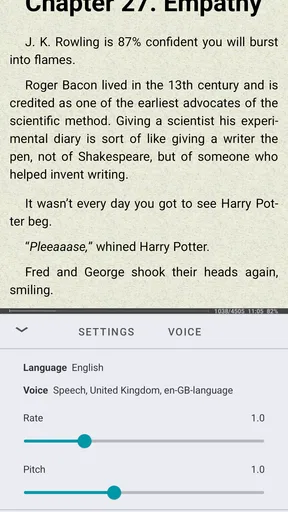
Text-to-speech gives the app another role when reading with your eyes is inconvenient. I can see it helping while doing a quiet household task or taking a break from a screen, though listening is not a perfect replacement for reading: names, punctuation, and complex passages may be less easy to follow aloud. It is best treated as an alternative way into a book, rather than a guarantee that every text will sound polished.
Dictionary access is handy when a word interrupts the flow, particularly in older writing or a book in a language I am still learning. Looking something up without switching away can keep the reading session intact. Translation support is also relevant for readers working across languages, but I would still check an important passage carefully rather than rely on a quick translation for nuance.
Syncing can make a phone-and-tablet routine more convenient: read during a commute, then continue on a larger screen at home. Before depending on it, I would test the handoff with a book I can easily reopen and make sure the devices are using the same account and library setup. A sync feature is most useful when it quietly saves your place; it is frustrating when you assume it has done so and later have to search for the chapter yourself.
Your Pocket Library
Let’s dive right in. FBReader Premium is designed to be your all-in-one eReader, offering support for a wide range of formats like EPUB, MOBI, FB2, and even PDF. If you’ve got a collection of books in different formats cluttering your drive, this app has you covered. The installation is straightforward, and you’ll be flipping through pages in no time.
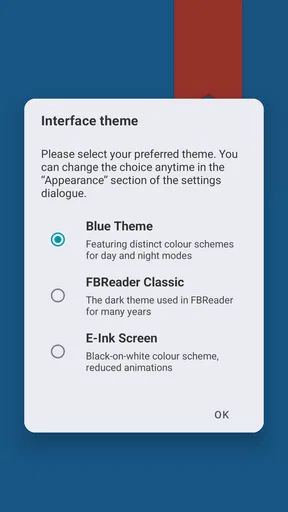
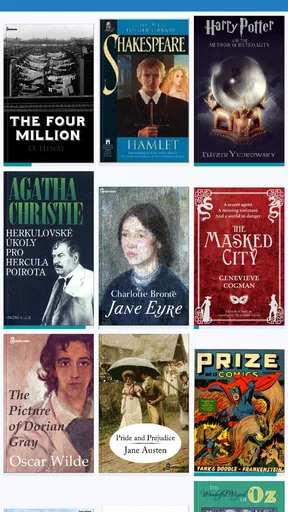
The app’s interface is clean and user-friendly. You don’t need to be a tech wizard to navigate through it. The home screen displays your library in a neat, organized fashion, and it’s pretty satisfying to see all your books lined up. The app allows you to customize your reading experience with different themes and fonts, which is a big plus if you’re picky like me.
Reading Experience
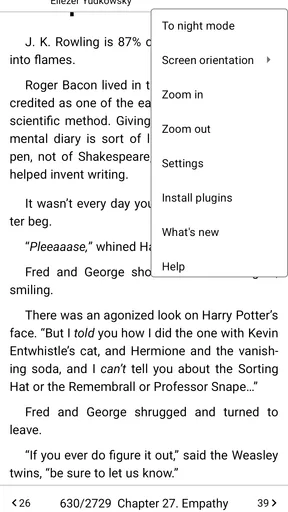
The reading experience is where FBReader Premium truly shines. I’m talking about smooth page transitions, adjustable text sizes, and even a night mode for those late-night reading sessions. The app’s text-to-speech feature is a game-changer, perfect for when you want to rest your eyes and just listen.
One of the coolest features is the ability to sync your library across devices. Finished a chapter on your phone? Pick up right where you left off on your tablet. The synchronization is seamless, and it’s one of those things you didn’t know you needed until you have it.
Customization and Features
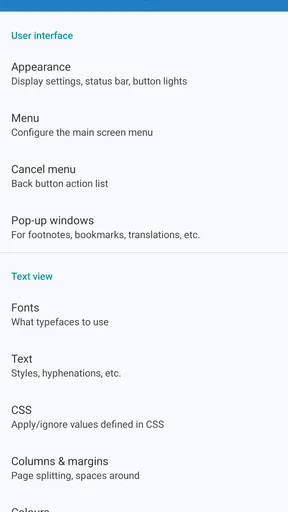
Customization is king here. You can tweak just about anything, from the background color to the way pages turn. Prefer a swipe to a tap? You got it. Want to change the margin size? Easy peasy. The app gives you the freedom to create your perfect reading environment.
It also supports dictionary integration, which means you can quickly look up words without leaving the app. If you’re someone who loves learning new words, this feature is a godsend. Plus, there’s a browser extension that lets you download books directly from the web. It’s like having a bookstore at your fingertips.
Offline Reading and Cloud Storage
One of my favorite things about FBReader Premium is the offline reading capability. Traveling somewhere without Wi-Fi? No problem. Just download your books and read them wherever, whenever. Plus, the app’s integration with Google Drive and Dropbox means you can keep your library backed up and accessible.
There’s also an online catalog feature that’s pretty handy. You can explore and download books directly from various catalogs within the app. It’s easy to find something new to read, and who doesn’t love discovering hidden gems?
Where this reader fits among the alternatives
The usual choice is between a store-centered reading app, a simple file viewer, and a dedicated reader built around personal collections. A store app can be more convenient if most of your books come from one shop and you want its purchasing and library features in one place. A basic viewer may be enough if you only open an occasional document. I see this reader making more sense when your books already live in several formats and you want a single place to read them.
That flexibility has a trade-off: a multi-format library asks you to do a little more organizing than a single-store bookshelf. If you keep a lot of files, naming them consistently and sorting them into folders before importing can save time later. I would also test a sample from each format you rely on; support for a file type does not mean every book will display identically, especially when its layout was designed for a printed page.
A practical routine for books on the move
Picture a weekday with a few spare minutes on public transport and a longer reading window at home. I would keep the current book available offline before leaving, read a section on the phone, then use a tablet later if I wanted more space. If I am switching between a novel and a study text, I would use the library rather than leave both buried in a general downloads folder. That small bit of setup helps the app feel like a reading tool instead of another place where files accumulate.
For study, I would pair the dictionary with deliberate note-taking outside the app: look up an unfamiliar term, then record the definition or page reference somewhere I can find again. For language practice, listening to a passage after reading it can help me notice phrasing, while translation is better used to clarify a sentence than to replace careful reading. These workflows make the reader useful beyond leisure without pretending that it is a full research or annotation system.
Offline access is especially reassuring for travel, but it works best as a habit rather than a last-minute rescue. I would open the books I need before leaving and confirm they load, particularly if I have just added them from cloud storage. Cloud access and a locally available copy solve different problems: the former helps keep a collection accessible, while the latter is what matters when a connection is unavailable.
Who will appreciate it—and who may not
I would recommend considering it if you already own books in several file formats, read often on more than one screen, or value adjustable presentation and listening as part of your routine. The Teen content rating is a useful reminder that suitability still depends on the individual books in the library; a reader app does not decide whether every title is appropriate for every household.
It is less compelling if you mainly read books purchased through one retailer and are happy with that retailer’s app, or if you only need to glance at the occasional PDF. Those readers may prefer the simpler path of staying with their existing library or opening documents in a general viewer. People who want sophisticated academic annotation or a tightly curated bookstore experience should compare those needs directly before paying.
The app costs $14.99, so I would think about how often I will use its broader reading workflow rather than judge it by a single feature. It has been available since June 17, 2015, and it has a 3.5 average from around 14,000 ratings, with over 100,000 installs. I take those figures as context, not as a substitute for checking whether its approach suits my own collection and habits.
Final Thoughts
All in all, FBReader Premium is a must-have for any book lover. Its versatility, ease of use, and rich feature set make it a standout choice in the world of eReaders. Whether you’re a casual reader or a bibliophile, this app will enhance your reading experience tenfold.
So, if you’re ready to elevate your reading game, head over to your app store and give FBReader Premium a try. Happy reading!
Verdict
Strengths of FBReader Premium
- Highly customizable reading experience.
- Supports a wide range of formats.
- Offline reading mode available.
- Cloud sync across devices.
- Ad-free interface for distraction-free reading.
Limitations of FBReader Premium
- Limited free trial features.
- Occasional sync issues reported.
- Initial setup can be complex.
- No social sharing features.
- Higher price than some alternatives.
Similar Picks in This Category
View All
Google Play Books & Audiobooks
Google LLC4.7

네이버 - NAVER
NAVER Corp.3.5

Wattpad - Read & Write Stories
Wattpad.com3.7

King James Bible - Verse+Audio
Ozion4.8

Bible Offline-KJV Holy Bible
Bíblia Offline4.9

Amazon Kindle: Reading App
Amazon Mobile LLC4.8
Frequently Asked Questions
What features does FBReader Premium offer over the free version?
FBReader Premium includes several enhancements over the free version, such as support for additional eBook formats, text-to-speech functionality, and customizable reading options. Users can also enjoy a seamless reading experience with cloud synchronization, allowing them to access their library across multiple devices without losing their place in the book.
Is FBReader Premium compatible with all eBook formats?
FBReader Premium supports a wide range of eBook formats including ePub, PDF, MOBI, and more. However, some proprietary formats might not be supported. It's advisable to check the official documentation for a full list of compatible formats to ensure that your specific needs are met.
Can I customize the reading experience in FBReader Premium?
Yes, FBReader Premium offers extensive customization options. Users can adjust font size, type, and color, as well as modify background colors and margins to suit their reading preferences. The app also allows for night mode reading and provides various options to enhance visual comfort during long reading sessions.
Does FBReader Premium offer cloud synchronization and how does it work?
FBReader Premium provides cloud synchronization through its own cloud service. This feature enables users to sync their library, bookmarks, and reading positions across different devices. To use this feature, users need to create an account and log in, ensuring seamless access to their eBooks wherever they go.
Is there a text-to-speech feature available in FBReader Premium?
Yes, FBReader Premium includes a text-to-speech feature, allowing users to listen to their eBooks. This is particularly useful for multitasking or for those who prefer auditory learning. Users can select different voices and adjust the reading speed to enhance their listening experience.
